
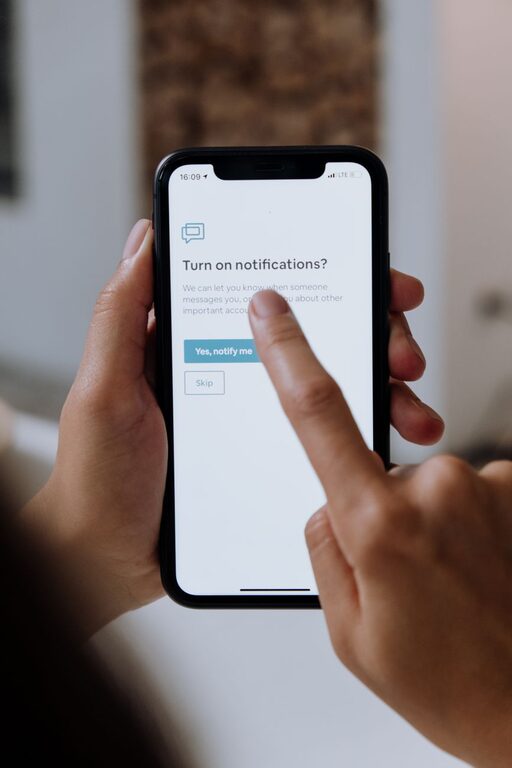
In today’s connected world, notifications from our phones, computers, and apps are constant. While they offer convenience and timely updates, they can also become a source of distraction and stress. Setting boundaries with notifications is essential to maintaining focus, reducing anxiety, and improving your overall well-being. This article offers practical tips on how to manage and set healthy limits on your notifications.
Why Setting Boundaries with Notifications Matters
Notifications can break your concentration, interrupt your workflow, and even affect your mood. When you’re constantly switching attention from task to notification, it’s harder to be productive and present. Setting clear boundaries helps you:
– Regain control over your time and attention
– Reduce stress caused by notification overload
– Improve focus and work quality
– Create healthier relationships with technology
Step 1: Understand Your Notification Habits
Before making changes, take a moment to reflect on your current notification habits. Ask yourself:
– Which notifications do I receive most often?
– How often do I check my phone or devices after a notification?
– Which notifications are important, and which can be ignored?
– How do notifications impact my mood or productivity?
Journaling or tracking notifications for a day or two can provide useful insights.
Step 2: Prioritize Essential Notifications
Not all notifications need immediate attention. Identify which alerts are truly important. These might include:
– Calls or messages from family or key contacts
– Work-related alerts during business hours
– Security or emergency notifications
– Calendar reminders for appointments
Once these are defined, you can tailor your settings to allow only these notifications through.
Step 3: Customize Notification Settings on Your Devices
Most smartphones, tablets, and computers allow you to customize notification preferences for each app. Here’s how to use these features:
– Turn off non-essential app notifications: Disable alerts from apps you don’t use frequently or that aren’t urgent.
– Use “Do Not Disturb” mode: Activate this mode during focused work periods, meetings, or sleep hours.
– Set notification schedules: Some devices let you specify times when notifications are allowed or silenced.
– Group notifications: Grouping can reduce the frequency of pop-ups and make it easier to catch up later.
– Choose notification styles: Opt for banners or badges rather than loud sounds or vibrations if you want less intrusive alerts.
Step 4: Establish Specific Times to Check Notifications
Instead of reacting to every notification immediately, set dedicated times during the day to review them. For example:
– Check emails and messages in the morning, midday, and late afternoon
– Respond to social media notifications during breaks
– Avoid checking notifications first thing in the morning or right before bed
Using this approach helps minimize distractions and keeps your responses more intentional.
Step 5: Use Technology to Support Your Boundaries
There are many tools designed to help manage notifications and improve focus:
– Focus apps: These apps block distracting notifications and apps during work time.
– Notification summaries: Some devices provide summaries that deliver notifications at scheduled times instead of instantly.
– Wearables: Smartwatches can filter and display only priority alerts.
– Email filters: Use rules or labels to prioritize important emails and reduce inbox clutter.
Step 6: Communicate Your Boundaries
If you work or live with others, it helps to communicate your notification boundaries clearly. Let colleagues, friends, and family know:
– When you will be available or checking messages
– When you prefer not to be disturbed
– How you will respond to important matters
This prevents misunderstandings and helps others respect your focus time.
Step 7: Practice Mindfulness Around Notifications
When a notification arrives, pause before reacting. Ask yourself:
– Does this require immediate attention?
– Can it wait until my scheduled check-in time?
– Am I checking this out of habit or real necessity?
Being mindful reduces impulsive responses and helps maintain control over your digital habits.
Step 8: Regularly Review and Adjust Your Notification Settings
Smartphones and apps frequently update with new features. Set a reminder every few months to:
– Review which notifications are active
– Reassess which ones are still relevant
– Adjust settings based on your current needs and priorities
This keeps your system optimized and prevents old habits from creeping back.
Final Thoughts
Notifications can improve convenience and keep you connected, but unchecked they can overwhelm and distract. By setting clear boundaries—prioritizing important alerts, customizing settings, scheduling check-ins, leveraging supportive technology, and communicating with others—you can take back control of your attention. Start small, experiment with what works for you, and enjoy the benefits of a more focused, balanced digital life.
Remember, it’s about using technology on your terms, not letting it control you. With these tips, you’ll find a healthier relationship with your notifications and more space for what truly matters.